BSA Print & Copy

RL have a tendency to hit in with to much work sometimes reducing the amount of time I can use on these projects, but I finally decided to do a push on BSA again and complete print & copy functions. Below is some pictures – the first shows a mock-up diagram with all symbols on screen.

This second picture shows the same diagram on print preview using standard A4 format.

This third picture shows Copy diagram pasted into 3rd party software – I used 3D Paint this time, but I mostly use Word for testing.

This next picture shows the same diagram as before, but I have now added a “PrintPage” visualized by a dotted square on the diagram. The objective here is that all symbols that are within the PrintPage will be selected for a a separate page as I print or copy.

The result of copy&paste a PrintPage can be seen below – notice that only symbols that are fully within the PrintPage square is included. This will allow me to select areas of any diagram to be copied seperately and be used in documentation.

I did the functionality to Print & Copy back in January, so it is only PrintPage and color conversions that are down now. Color conversion is a bit tricky – I have implemented two functions – the default color conversion is to invert colors as we change from Black to White background, but I also added a color table so I can add exact colors and how they are converted.

The modelling side of BSA is close to complete, but needs a bit of bug fixing before I let it out. It’s been a very busy year with projects that pays the bills, but I should get more time to work on my own projects this authumn. One of the things coming up is code generating for the ECU in C/C++. I will focus on the motherboard that mostly is up running with basics – what we will code in BSA (for now) is main logic for the ECU usinng the sub-modules as they are. I will use Windows/C#/WPF as HMI for now. I have a preference for Windows desktop HMI as I use that a lot myself, so it’s a natural starting point.

ECU – Assembled Node

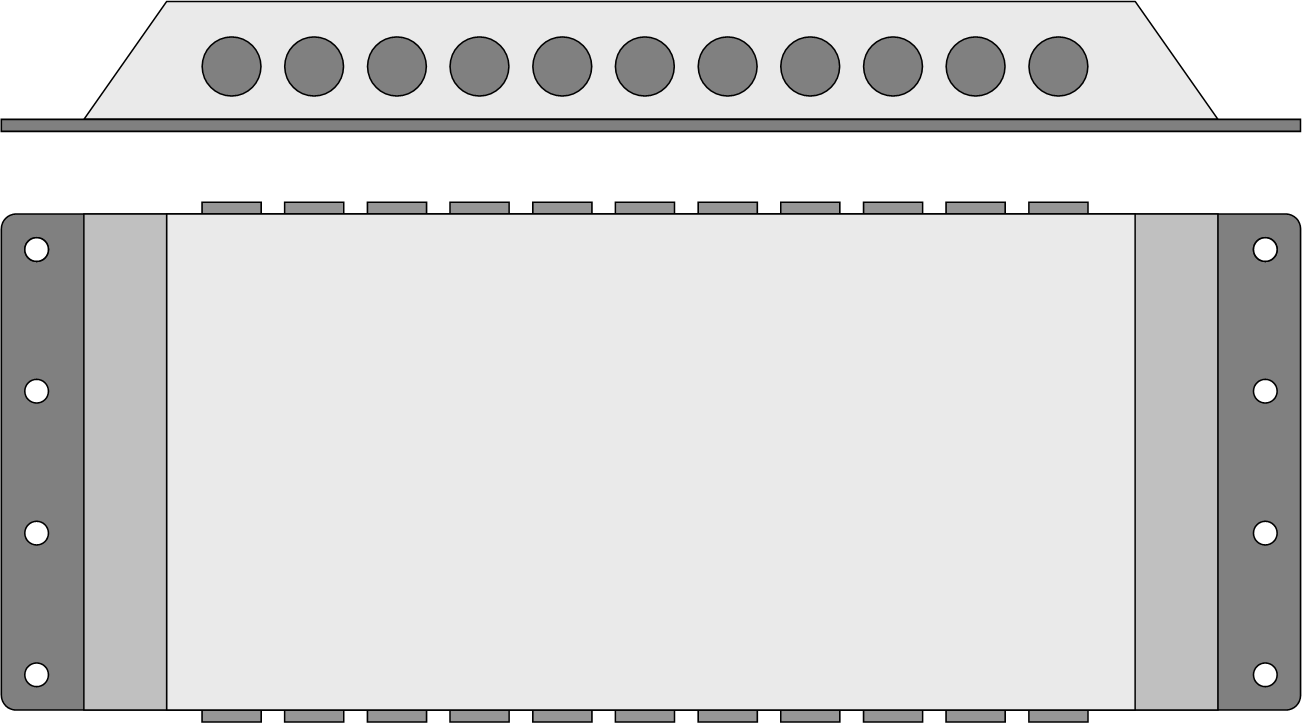
This first picture show an open box with Ethernet + 5 Add-On modules. Screw holes fit perfect, cables line up and it was a dream to assemble one box with full content. The mechanics of this project is a success.

Cloed box with M12’s and MX23 sticking out below. I only need minor adjustments on the support plate + print proper end plates and this is done. It will take a bit more time to get components on the boards, but this really looks good and promissing.

ECU – New IO Modules in Design

The 3 x Analogue module below will get some siblings, The current module is experimental as I need to play around with analogue input a bit and see what I can achieve, The target is vibration sensors this time that is ok with 0-5V input. But, the module is so much more capable than this with a bit of altered design in front.

  • 0-5V analogue input cover the most basic usage.
  • 0-24mA loop receivers only need a special resistor added.
  • 0-xxxV analogue only need divide resistor.
  • Resolver also only need special filter in front.
  • Encoder or hall sensor input can be computed from a robust analogue input.

The drawback is that these five usages probably need five different, but very similar boards. I will see what I can do. A higher density analogue module is planned, but I am not sure it is worth it yet. The module above is so strong and I lack Analogue components that will help increasing the density on the available space. Again I will see what I can do – making a high density analogue module is not difficult, making it with galvanic isolation at low cost is. The module above takes almost 6000V for one minute.

I have already talked about a Digital input module drafted below – this is as simple as it get – I use high speed isolater to take in 100Mhz digital signals and SSR to change the range between 5V to 24V. Isolation level is 5KV or something, meaning the input channels can handle 5000V for one minute.

Power Servo drives are on my plan. The Servo RF signals are easy, but delivering exact voltage of 8V and 12V etc from 24V is a bit of an issue. I do however think that I need to do a divide an conquer – feed motor voltage separate like I did for Digital Out and add specialised PSU’s on the outside.

Running electric motors are an important part of any modern automation project, so I will start adapting old motor drivers to the ECU project. But, with motor drivers come heat dissipation needs and I think I need to design new, specialized boxes for that. But, the concept should be the same because as you assemble a motor driver you assemble a node that need the same IO as we described above.

One of my main challenges is however production logistics. I can afford to experiment with design and blog about it, but yes it cost money – and to start production I will need a few pennies to avoid that hardware become to expensive. I think I need to set target volume to 1000 etc and make some calculations before I consider options.

ECU – New Modules

An old modul to the left and two new moduls to the right – I thought my old module was small…

This is the first run on this series so the main issue right now is mechanical design + correcting bugs – don’t worry, I have found some already – mechanical ones, but that is as expected. But, as far as I can see this looks good – very good. I will solder on some connectors and fit a box later so you can see.

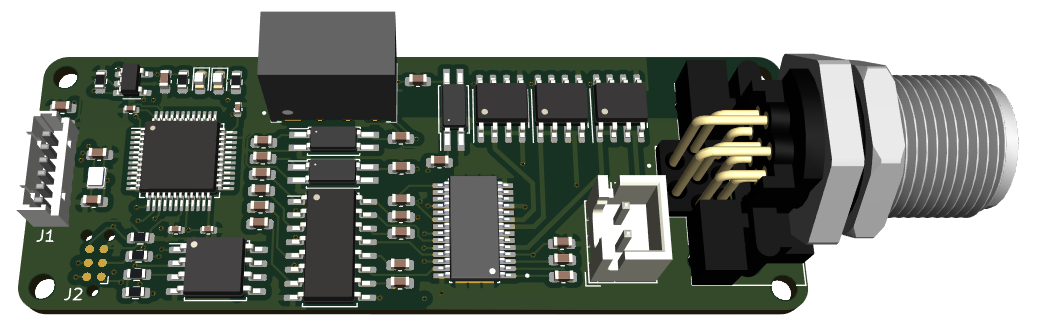
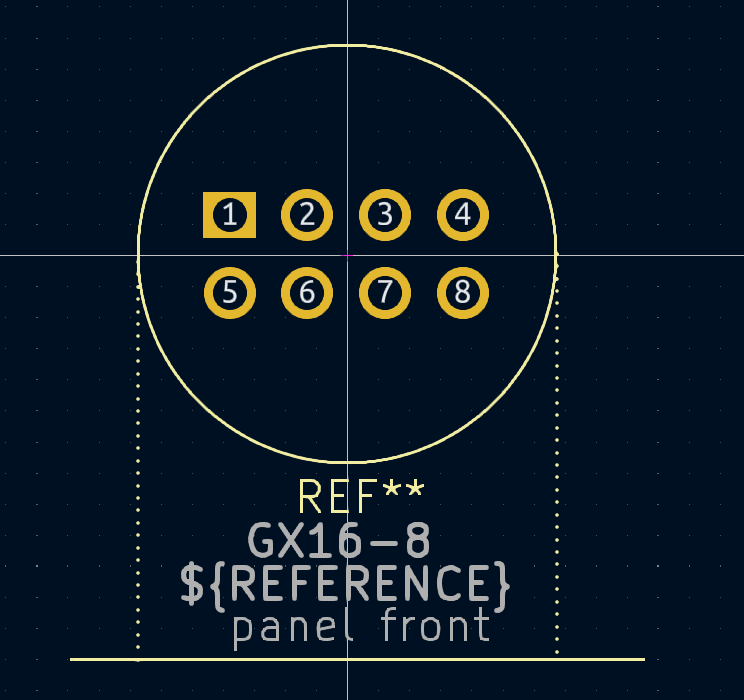
A very annoying bug is that I use a M12-2 as power input, the footprint was modified from a M12-4 and I got it wrong as the real M12-2 used two different pins. Below I have modified a M12-4 just for testing.

The second bug is that I have put C30 to close to the connector – this will be ok, but I will move it on the next version.

This is very classic for a first run on boards – I expect errors to pop up as I populate the boards, so I push for a quick first round on everything so I can get errors corrected and move on to first poduction series. I will not list every bug here because that will be booring reading, but in a week or two I will order revisions as well as new boards. What I can say so far is that the main concept is working out fine. That said – I see many details that I suspect need to be changed, but that is the essense of engineering.


ECU – Digital Input

A quick draft of a 8 Digital Input Channel module allowing 24V or 5V selectable per channel.

I will receive the first batch of PCB’s tomorrow so fun will start, but I fancied having a look at a 8 channel digital input where I can select between 5V and 24V levels per channel.

ECU – easyIPC – Redesign

With a main board and up to 8 sub-modules I need to design ipc communication between them. The sub-module uses a fast, exclusive serial port 1:1, but we also need to take into account Ethernet, RS485 and CAN as media. The essense of easyIPC is that I want a protocol where I don’t care about what media I use for transport. But’ lets focus on basic protocol design as I have drafted a standard IPC protocol.

The protocol is outlined in the BSA diagram below:

What I like most about BSA is that it make it simple to illustrate complex software and it clears you mind as it gives you a visual overview of what you want to design. What you see above is events, the core easyIPC protocol and funtions that are methods and events in C++. This show one interface as seen from a simple sub-module, so the full protocol is a bit more complex than this.

OnIPCMaintenance is a timer event generated every ms – it calls easyIPC and process timeout’s. Every time we send someting we start a timeout action and if ack is nor received we will take action. All events will either be Acked, Nacked or we execute timeout logic.

ipcInitRequest is sent to a module once it is started. Main will repeat the message until an InitResponse is received. The PLD diagram below illustrate the function. Once a request is answered we instantly report current state – if we are not ready we just report state, but once we are ready we send a full resource list as state is changed to started.

ipcInitResponse is sent to main as we receive InitRequest. The response indicate startup state of the module that will repond with Booting, Starting, Started or not at all. Some modules will require longer start-up times, so if InitRequest is sent to early we do not get a response at all – in this case we wait and send it again. Booting/Starting indicate the sub-module is awake and in the process of getting ready. A sub-module might have sub-devices of it’s own so Starting indicate it is waiting on other devices. Booting indicate it is waiting on itself. Once started the device will respond with a InitRequest that also contain a sub-tree of available resources. InitResponse is repeated every time a resource change.

ipcSubscriptionRequest is sent from main to sub-modul to get selected data/events sent to main. Each sub-module will always send ipcHeartBeat, but otherwise nothing unless requested.

ipcSubscriptionResponse is an Ack for ipcSubscriptionRequest.

ipcDataEvent is the normal way of sending data and events both ways. Data can be sent cyclic or as events then something happens. The essense is that bandwidth usage should be optimal once the system is started.

ipcDataEventAck is used to ack data that is not cyclic.

It might be more to the protocol later, but I will start with this and see what I end up with. I have sub-modules using the previous SWD, but they are so difficult t work with that I will wait until I get the next lot in 1,5 weeks. Ordering PCB’s these days are fast.

A key factor in IPC is that both ends have the same interface and a sub-module can interact with the tree and send data to both main and other sub-modules as well. Data transfer device to device will happen through main in this case – basically main subscribe on data from sub-module 1 while sub-module 2 subscribe on the same data from main/sub-module 1. As data is sent to main it will trigger an event that send the same data to modules subscribing on this. Care need to betaken for bandwidth and latency, but in normal usage we should expect low bandwidth and latency < 1ms.

ECU – Heatsink Review

The main reason I avoid components on the back side is because I want to use this for heatsink and connect a thermal pad between the PCB’s and the aluminium box – using the box itself + possible external heatsinks to cool down content inside. So far it is only the 8 x PWM module with a teoretical 40A in peak that will require cooling- components can deliver > 40A in peak, but the PCB and design is limited to a total of 10A. In fact I might consider reducing the module from 8 to 6 channels  to  support more juice as I could need more pins for power input.

This mechanical design will be a challenge, but I think it can be done. I also have a 8th position over the PSU that can be used for extra temperature sensors inside the module – I will support PT100 etc later.

The snip below show PWM/Power routing and I need to improve this a bit:

I have only used two layers for power out + I use bottom layer for PWM out while 24V in is on an internal layer – it will be more current on the 24V lane, so I need to swap those and (1) widen the 24V track + (2) add more internal planes to support. I am serious out of space on this module, but if I move 24V to bottom I can also add a bit of capacitance using the backside for 1206 size capacitors on the 24V itself. The result can be viewed below as it worked out quite well. I will wait a bit and test before I consider reducing to 6 channels – my concern is that a single pin is not sufficient for 24V PSU – in which case I remove 2 x PWM and have 3 pins for 24V, but I can patch that on the existing board if I need to as I am sure I will need a 2nd revision.

Using 1206 size capacitors above is not idea because you use 20 x 15uF capacitors to keep a low profile. It cost a bit extra and is greatr for subsea applications, but I would have preferred an ordinary capacitor on the front – no space. That said – this provides 300uF and worked out very well.

As for the functionality on this module:

  • 8 x PWM independent Half Bridges.
  • 8 x Current Sensors with independent programmable gain.
  • Programmable rise times on PWM pulses.
  • Programmable analogue current trip thresholds in HW.
  • Overtemperature protection.
  • Undervoltage detection – the module should work between 5 to 24V.
  • Diagnostics in silicon.
  • Open load detection.

The reason I consider reducing to 6 pins is that I currently use a single pin to input 24V and removing two channels will enable 3 pins for 24V – that said I have 9 pins for ground because I want a pair of PWM/Ground for each output channels and if you look at the connector you also see that is will be difficult to use the right side pins for PWM. This is the price for hole-through connectors as you pay a lot of extra for mechanical strength.

Another review comment is protection against wrong polarity. It is easy to add a diode that gurantee survival if someone get the 24V pins incorrect. I probably need to put that on the back as well. Polarity protection is one of those things you apreciate if you assemble a system under stress and get it wrong – it saves the module from a mistake that is easy to do.

Since this is a ECU designed to live on vehichles with extreme vibrarion/shock we also need to think about mechanical support for PCB’s – and thick thermal pads towards outside is more than heat dissipation. The box itself will need to be mounted on rubber feets, but I will be back on that – I am not sure about the inside between the PCB boards, but I am considering to fill that as I close a box. I have a few tricks up my sleve that is worth trying out.

Modular ECU

I have made a few PCB’s that will create a modular, waterproof ECU, so lets walk through the ones that will be ordered now. I will make more modules later, but I am stretching my luck aleady. This main board and modules are not entirely new as I created a series of PCB’s before where the primaryly learning was not to mess with SWD. I have modules that could have been tested, but the new SWD is suck a screw up that I prefer to move on.

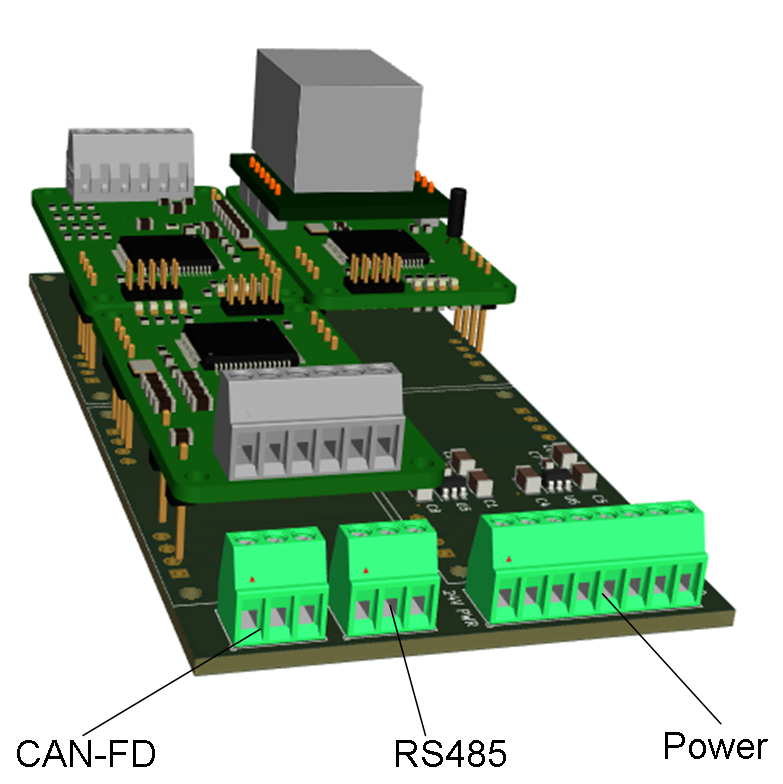
The main board (Above) have a powerfully MCU and galvanic issolated PSU + USB, SD-Card and an optional Ethernet directly on the board. The main board itself act as a Node in a network consisting of up to 8 sub-modules and a network of other nodes. The next illustration show how a mothrerboard can link up 8 sub-modules to create a modular node with flexible IO.

The first module is a Single Ethernet modul (below). I decided to move on to this because I have several Ethernet based cameraes that I want to interface. I can also mount the Ethernet on main or add thw dual ethernet module later, but I prefer to focos on this modul for now.

The next modul is 1 x CAN port. This is NMEA2000 Compatible allowing the ECU’s to be used in that context, but it is also a 12Mbps CAN-FD. You can add 7 ports of any combination of CAN/Ethernet to a Node to create a flexible sensor network.

The next one (below) is a Analogue Input Module. You can have 3 single ended inputs or 2 delta sigma inputs, but the modul is actually tailored for three-axis vibration sensors or high speed analogue channels that is sensitive for noise. 24 bit resolution and 64Kbps per sec should cover most needs. I plan a higher density analogue input for lower speed inputs, but that’s for later.

The last modul I want to order now is 8 x PWM using a MX23 connector with 18 pins. 2 pins to feed 5-24V and 16 pins for PWM output. Capable of 10A per module and a peak of 10A per channel this has multiple usages. It also contain 8 x current sensors so it will be an exiting modul to test on anything from DC Motors, Solenoids, 3-Phase motors to Stepper Motors or simply digital signals. The DC Voltage out is the same as the one it is fed, so anything from 5V to 24V will work fine.


As an example I could use one of these on 12V for power Servo’s and another one on 5V for Servo Signals to control 8 servos with special power/voltage needs.

The collection of moduls will grow, but I think that 4 moduls are more than sufficient for keeping me busy for some time.

ECU – 8xPWM Done

This was a bit tight to route because it is a lot on very little space and a lot of isolation areas and hole through components. The main challenge is however that I ran out of pins on the MCU. The routing straegi is free lines on top, ground, 3.V, horisontal layer, ground, vertical layer – 6 layers in total. And on top of that I optimize schematics for PCB. Now follows a few days with checking and double-checking before I order PCB’s.


EXU – 8 x PWM

This new modul is a 8 x 24V PWM modul with individual current sensors isolayed yo 3KV. Each PWM is 10A and the modul in total is 10A.

Usage:

  • 8 Digital On/Off signals
  • 8 PWM Signals
  • 8 x Solenoids
  • 4 x DC Motors
  • 2 x Stepper Motors
  • 2 x 3-Phase Motors

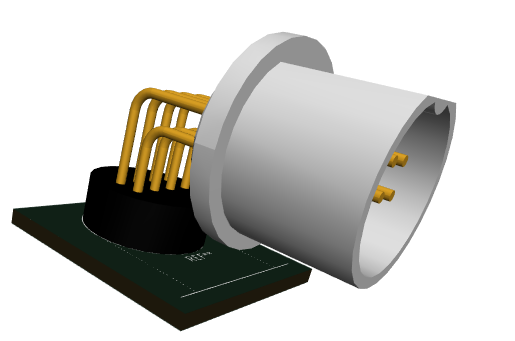
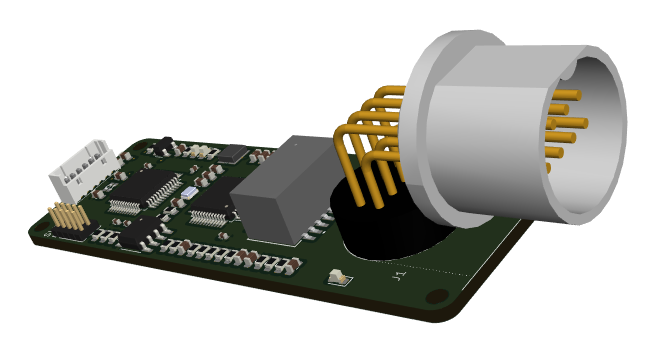
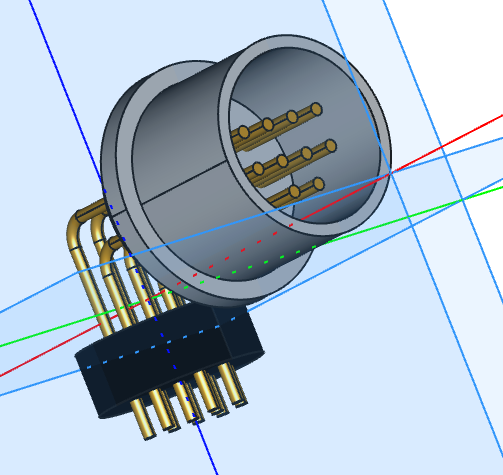
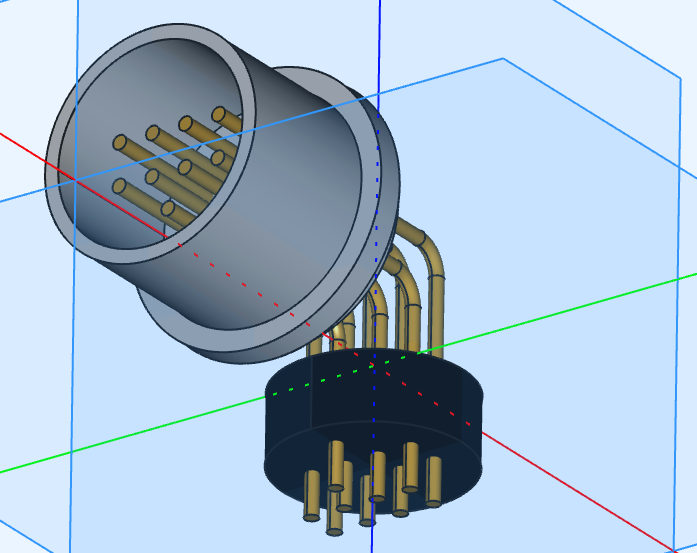
This is a dual position module using a 18 pin MX23 connector – you can get 3 of these in a standard box, but you need to manage your current budget. The mock-up below is mostly for the connector – a lot of components are missing yet.

I am looking forward to meet this board assuming I can do it as planned. I also need to add 24V connectors on the main board to support this module.

This is a very ambigious module on so little space, but it is one that will be very usefully and fun to work with due to it’s flexible capabilities. I am removing so much from my original Main board that I can afford to add more connectors and current sensors on 24V. 10A channels are a bit ambigious, but it will be a current budget that limit the total usage. The idea is that this board pop up as a resource and that you then add functionality/limits to pins. I have not included Resolver/Encoder this time as this is better added on a separate modul on CAN- 3 of these are 6 ports leaving the 7th for CAN or Ethernet – that is 6 x Stepper motors or 12 x DC motors from one box.